











StealthGPT is Now on Manus

Bring StealthGPT humanization into Manus. Submit an existing draft and collect the rewritten text inside your conversation.

Copy your MCP server URL
https://www.stealthgpt.ai/api/mcp/mcp
  • Super, Standard and Lite humanization
  • Research-to-draft content workflows
  • Runs inside Manus tasks you already have

How to Connect

Once connected, Manus can send text to StealthGPT and get back humanized, undetectable output, no separate app required.

Manus

  1. 1.

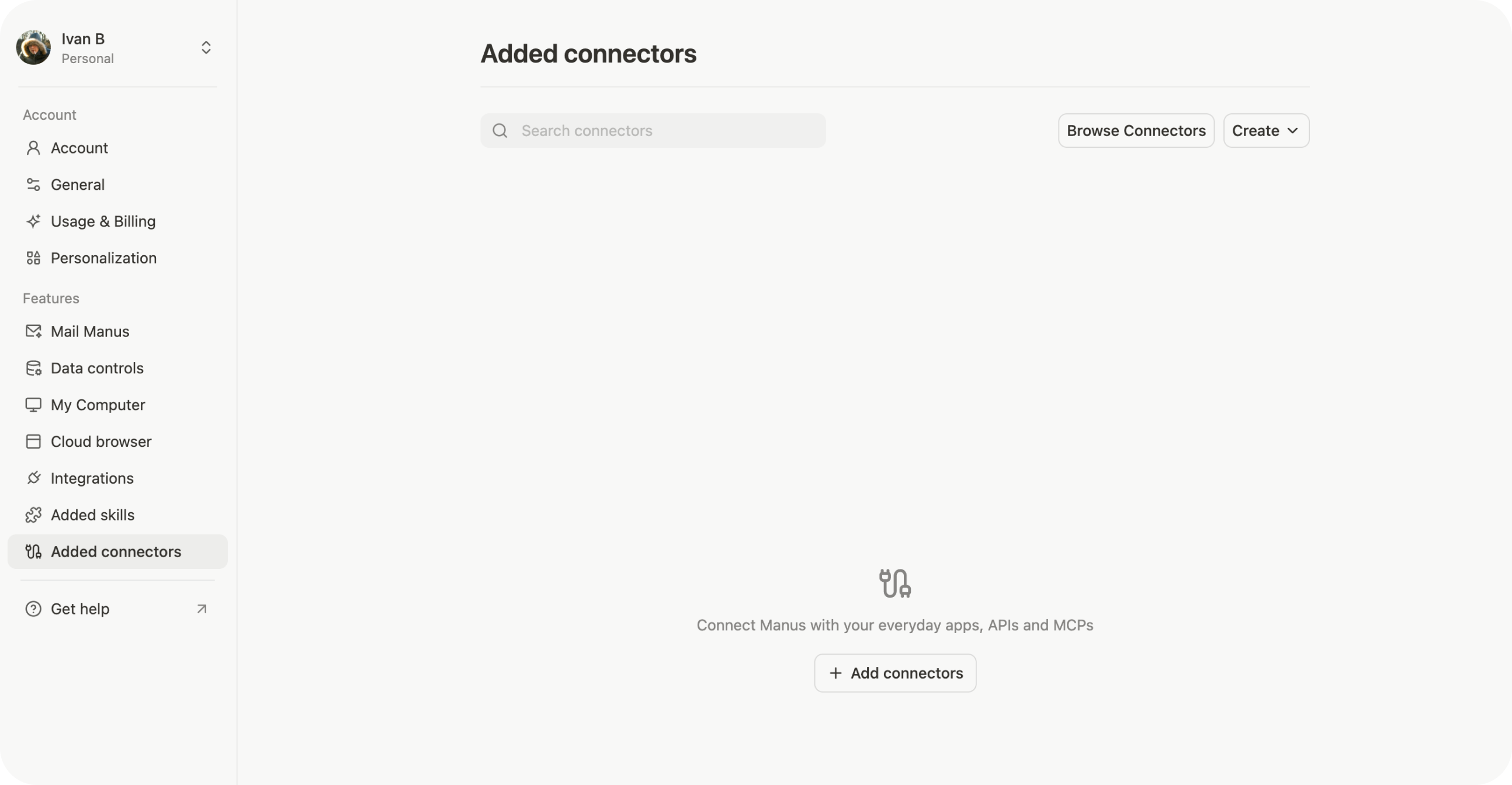
    Go to Settings

    Open Settings and select Added connectors.

    Manus — step 1
  2. 2.

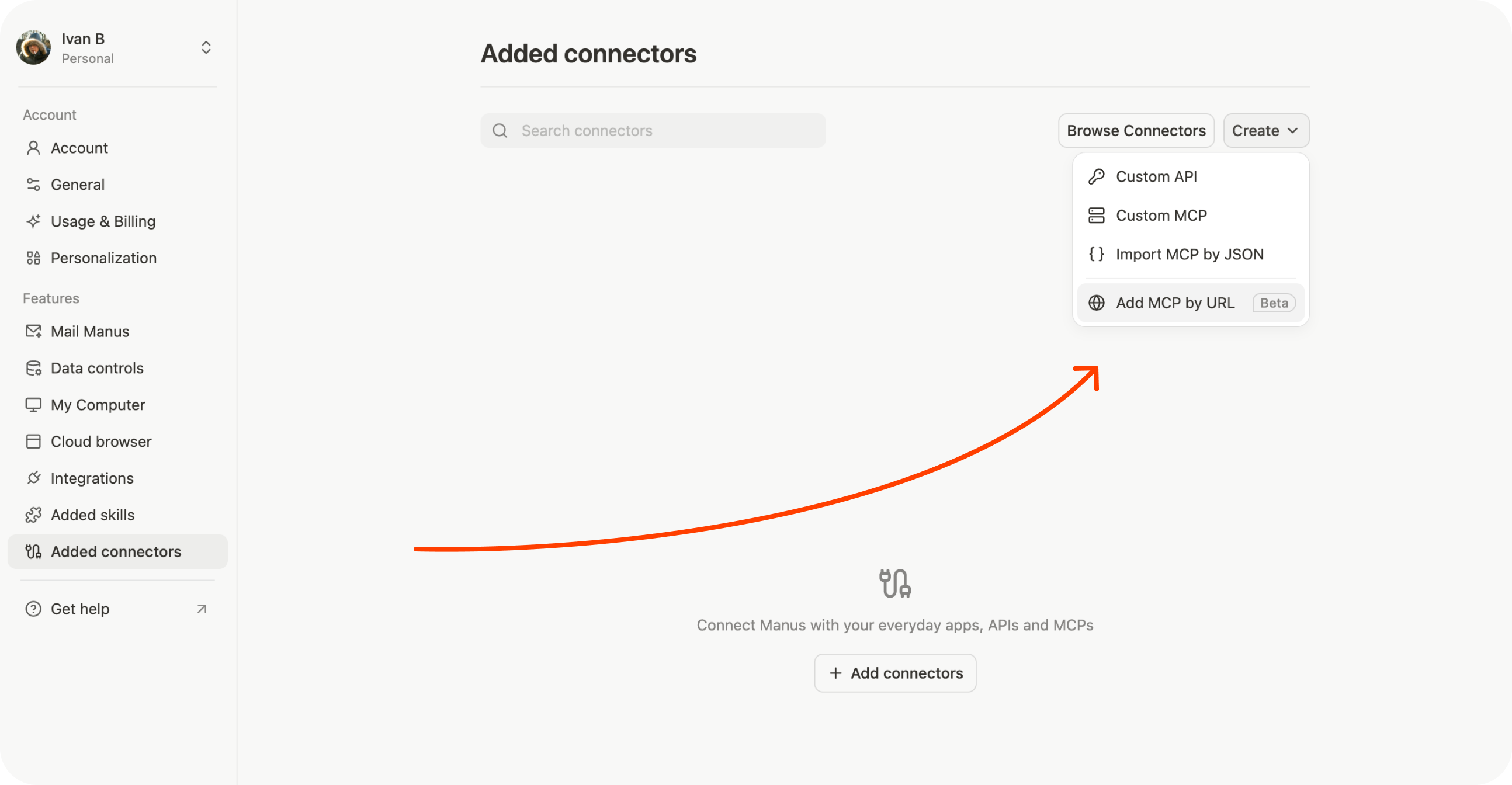
    Add MCP by URL

    Click Create, then choose Add MCP by URL (Beta).

    Manus — step 2
  3. 3.

    Paste the StealthGPT server URL

    Name it StealthGPT, then click Save and Publish.

    https://www.stealthgpt.ai/api/mcp/mcp
    Manus — step 3
  4. 4.

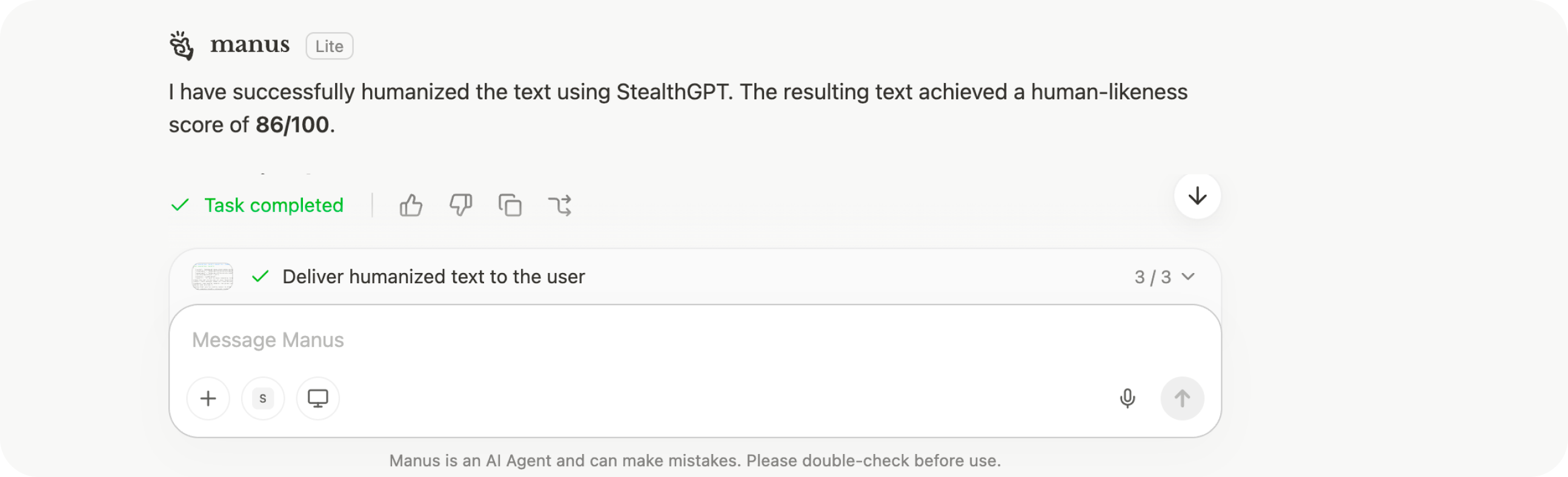
    Sign in and start humanizing

    In the window that opens, sign in and click Allow. Then ask Manus to 'Humanize it with StealthGPT' and it humanizes text mid-task.

    Manus — step 4

No subscription? Start with an API plan.

Plans start at $19/month with 100,000 words included (input + output), and extra words are pay-as-you-go. Standard is $0.20 per 1,000 extra words. Super is $0.50 per 1,000. Your regular StealthGPT web subscription is separate and not required.

  • From $19/month
  • Monthly words included
  • Cancel anytime

Use it inside your favorite LLM

Connect through the documented client setup. The Codex guide records a completed OAuth humanization check; the ChatGPT guide explains its custom MCP setup.

Features

Call StealthGPT In the Loop

Bring humanization into your agent’s workflow. It can send an existing draft through humanize_text, retrieve progress with get_run_status and return the completed text in the same conversation. Use generate_content when you want Stealth Agent to start from a brief instead. Client setup guides cover the remote server and authentication.

Drop It Into n8n

Start and track content-generation or humanization jobs with the verified StealthGPT n8n node. Published version 0.1.2 exposes Heavy, which maps to Standard, and Lite for humanization. Use HTTP Request nodes for explicit Super selection or bulk API jobs. Store your token in an n8n credential and route completed drafts to review.

One Request, Full Pipeline

Start Stealth Agent from a brief and select an Academic, SEO or Social preset. The pipeline researches, drafts and humanizes, with optional fact checking and images. Retrieve the resulting document for your editorial review, or use humanize_text to add just the humanization step to a pipeline you already run.

Built for Volume

Start an async job, save its run ID and collect the result when it finishes. Your REST integration can use polling, signed callbacks and idempotency keys. For an existing content queue, submit up to 100 drafts through the bulk REST endpoint and collect each run for editorial review.

Why it's different

Use StealthGPT inside your connected agent or automation stack. Choose subscription usage or API credits according to your account, and keep the workflow in the tools your team already uses.

Your humanization model, in the loop

Choose Super, Standard or Lite, set your quality mode, and collect a rewritten draft without switching to a separate editor.

Reliable async primitive

Save run IDs and retrieve results asynchronously. REST workflows also support idempotency keys and signed callbacks.

Full pipeline or step only

Use the end-to-end pipeline, or drop the humanization step into the workflow you already run.

Frequently Asked Questions

Still have more questions?
Learn more in our support page.

Yes. Eligible subscription accounts can use MCP with their plan allowance: humanize_text uses words and generate_content uses a Stealth Agent article. Connect the account you want to bill. If you also have API access, check the MCP billing rules and your usage settings before starting a larger queue.